


Concert Archives
4.8100.00 Reviews
App Specs
- Version
- 10.2.2
- Updated On
- License
- Free
- Downloads
- 50,000+
- Developer
- Concert Archives LLC
- Categories
- Events
- Platform
- Android
Screenshots
 Analysis by AppCompare
Hey there, concert enthusiasts! If you're anything like me, you’ve probably got a stash of concert tickets hidden somewhere, each one with its own set of memories. But what if you could store all those memories in one place, accessible anytime and anywhere? That’s where Concert Archives comes in. Let me take you on a journey through this app that promises to be every music lover’s best friend.
Tracking Your Concert History
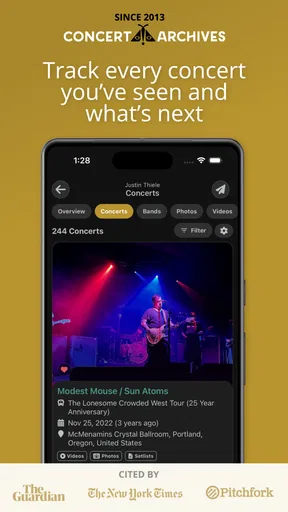
First off, the main feature of Concert Archives is keeping a detailed record of every concert you've ever attended. Once I downloaded the app, I was hooked by how easy it was to start logging my concert history. The interface is super intuitive—I didn’t need a manual to figure it out.
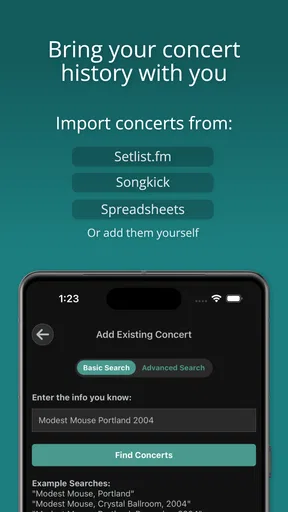
You can add concerts to your archive by searching for the band, venue, or date. The app pulls up a list, and you simply tap to add. The database is pretty extensive, and I was pleasantly surprised to find even some of the more obscure shows I’ve attended over the years.
That search-first approach makes the archive more useful than a notes app or a folder of ticket photos. Instead of remembering which album or notebook holds a particular night, I can look for the performer, place, or date and build a record around the event. The trade-off is that an archive depends on choosing the right match: when a band has played a venue repeatedly, checking the date and location before adding a result helps avoid a tidy-looking but inaccurate history.
I’d use it gradually rather than trying to reconstruct a lifetime of gigs in one sitting. Starting with shows I remember clearly, then adding older concerts when a ticket stub, photo, or conversation jogs my memory, keeps the task manageable. It also makes gaps easier to spot: if I recall seeing an artist but can’t find the right event immediately, I can leave that memory for another search instead of adding a guess.
More Than Just a List
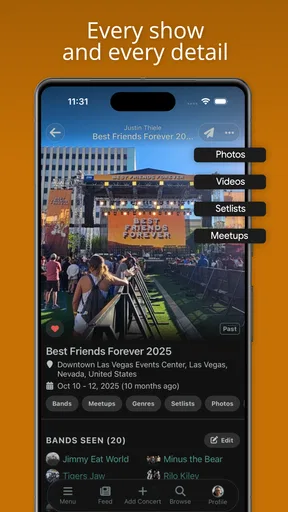
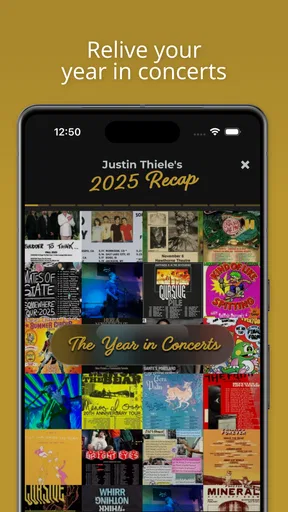
But wait, there’s more! This app isn’t just about creating a list. It lets you dive deep into each concert, adding photos, setlists, and even personal notes. I’ve started snapping pics at every concert, and it’s awesome to have them all collected in one spot. Plus, you can rate each concert, which is a fun way to look back and remember which gigs really blew your mind.
The best reason to add a note is not to write a review for strangers; it’s to preserve the detail you’ll forget first. I’d jot down who I went with, a moment that made the night memorable, or why a particular show mattered. A quick note can turn a bare entry into a personal record later, especially when the artist has played several times and the dates blur together.
Worth Reading Before You Choose

EA SPORTS FC Mobile 26 Is a Bigger Football Game, but It Takes Time

Flipboard Shows What News Apps Must Do Beyond the Feed

Switching to Android Auto Means Rethinking Your Driving Routine

Google Calendar Makes a Crowded Week Easier to Manage

Ludo King Makes the Most of the Minutes Between Plans

Baby Panda World Brings Quick Play to Modern Phones, but Its Game Library Feels Busy
Photos and setlists can make an entry feel richer, but I wouldn’t treat the archive as a replacement for a careful photo backup or a dedicated setlist resource. A concert record is most useful when it helps you find the memory again; it needn’t become a second job. If I’m tired after a show, I’d add the event first and return to the extra details another day rather than letting perfect documentation get in the way of enjoying the night.
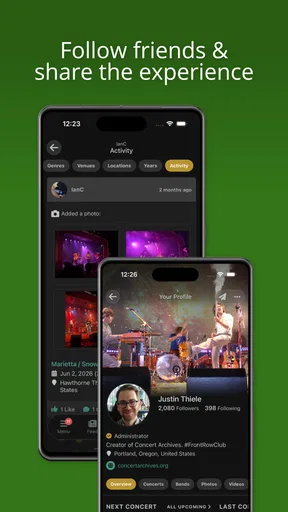
The app also connects you with other users. It’s like a social network for concert-goers. You can see who else attended the same shows, and even make new friends based on your shared experiences. It’s like finding your concert twin!
That shared attendance angle is a more specific kind of social discovery than following artists on a general social network. It gives you a reason to look at other fans’ profiles: you may have been in the same room years ago without knowing it. I’d approach that feature as a pleasant extra, though, not the main point of keeping a private-feeling diary. People who prefer to record memories without a social layer may get more value from the personal archive than from connecting with other attendees.
Discover New Shows
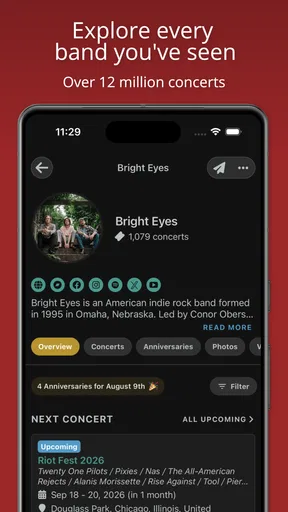
Another feature I love is the concert discovery tool. Based on the bands and venues you have in your archive, the app suggests upcoming shows you might be interested in. It’s a great way to make sure you never miss out on a gig.
The app sends notifications about new tours or concerts in your area, which is a lifesaver. I’ve already snagged tickets to a couple of shows I would’ve missed otherwise. It’s like having a personal concert assistant!
The practical benefit of recommendations tied to your own history is that they can surface a live-music lead without requiring you to follow every venue and artist separately. I’d still use them as prompts, not as a complete events calendar. For a specific night out, I’d check the artist or venue’s current event information before making plans, and I’d keep an eye on the details that matter to me, such as the date and location. An archive can help narrow what to investigate; it shouldn’t replace a final check before buying a ticket.
A useful habit is to make the archive reflect what you actually enjoy seeing, rather than adding an event simply because it appears in a suggestion. If I attend a show because I’m curious about a support act, for instance, recording the whole concert gives future recommendations a better picture of my interests than logging only the headliner. That kind of care makes the history more meaningful, although it does mean the recommendations are only as helpful as the information I choose to keep.
Concert Archives is an Events app from Concert Archives LLC. It’s free to use, rated Teen, and has a 4.7 average from more than seven hundred ratings, with nearly a hundred written reviews. It has passed fifty thousand installs, which suggests there’s an established audience for this particular mix of concert history and community. The current version is 10.1.18.1, and the app dates back to February 15, 2021. It supports devices running Android 7.0 or later.
Those figures offer useful context, but they don’t answer the personal question of whether an archive will suit you. I’d judge it by how often I want to revisit my own gig history. If I attend a handful of shows and rarely think about them afterward, a calendar entry or photo album may be enough. If I like comparing years, venues, and artists, a dedicated archive gives those memories a more purposeful home.
Sync Across Devices
One of the standout features is the ability to sync your concert archive across devices. Whether you're on your phone or tablet, your concert history is always at your fingertips. I found this particularly handy when I wanted to show off my concert creds to friends.
And if you're worried about losing your data (we’ve all been there), rest easy knowing that your concert history is safely stored in the cloud. You can log in from any device and pick up right where you left off.
Being able to move between devices matters most when the archive becomes a long-term habit: I might add a show on my phone after a night out and browse older entries later on another device. It also makes the collection easier to share in conversation than a paper notebook tucked away at home. Still, I wouldn’t use any single service as my only preservation plan for irreplaceable photos or personal writing. A concert archive is a convenient way to organize the story, while keeping important originals elsewhere is a sensible precaution.
For someone deciding whether to begin, I’d try a small test run: add a few concerts that are easy to identify, then see whether searching and revisiting those entries feels natural. That reveals more than importing a huge, uncertain list at once. If the process makes you want to keep filling in the gaps, the habit may stick. If you find yourself avoiding it, there’s no need to turn a hobby into recordkeeping homework.
Where It Fits Among Concert Apps
Compared with the usual alternatives, this app is strongest when the goal is remembering shows you have attended, not simply finding a ticket for tonight. A ticketing app is generally more direct when you already know the event and want to handle the purchase. A venue’s own event calendar can be better for checking what is coming to one particular place. A standard calendar is quicker for saving a date, while a photo library is often the simplest way to keep images.
Concert Archives occupies a different middle ground: it organizes concerts as a continuing personal history and adds a social dimension around shared events. That distinction is worthwhile for someone who wants to look back across years, but it may feel like unnecessary upkeep if all they need is a reminder or a place to store a ticket image. I wouldn’t replace every music-related tool with it; I’d use it for the archive and keep using the more direct option when the task is buying, checking, or backing up.
It also helps to think about what counts as a useful entry before building a large collection. Some people will want every concert, including festivals and informal local shows; others will prefer to record only the performances they remember distinctly. Either approach can work, but consistency makes later browsing more rewarding. Deciding early whether to include multiple sets or events on the same date can prevent confusion when you return to the history months later.
The Best Fit for Your Concert Habit
A realistic use case is getting home after a show, searching for the event while its details are fresh, and adding it before the next busy day takes over. Later, when a friend mentions an artist, I can revisit the entry and remember where I saw them, who came along, and what made that night stand out. Another good use is preparing for a run of shows: the archive can remind me which bands I have already seen and help me spot artists or venues worth exploring again.
The app is especially appealing to people who attend concerts regularly, travel for music, or enjoy comparing a current gig with one from years ago. It can also suit fans who like finding common ground with other attendees. It is less compelling for someone who rarely goes to live shows, dislikes maintaining personal records, or wants an events tool focused only on nearby listings and ticket purchases. In those cases, a calendar, ticketing service, or venue schedule may be the cleaner choice.
One question people often have is whether they need to enter everything at once. I wouldn’t. A few accurate entries are more useful than a rushed archive full of uncertain dates. Another is whether the social aspect is essential; I see it as optional value rather than a prerequisite for enjoying the record-keeping side. And if a show is hard to find, searching by more than one detail—such as switching between the band, venue, and date—is a practical way to refine the hunt instead of settling for a near match.
There is also a small but real maintenance cost. Memories fade, and adding details takes a moment after each event. The payoff arrives later, when the archive helps connect concerts that might otherwise remain scattered across old photos, messages, and ticket emails. If that future browsing sounds satisfying, the effort is modest and purposeful. If the act of logging shows feels like admin, the app’s central strength may not matter enough to overcome that friction.
The Verdict
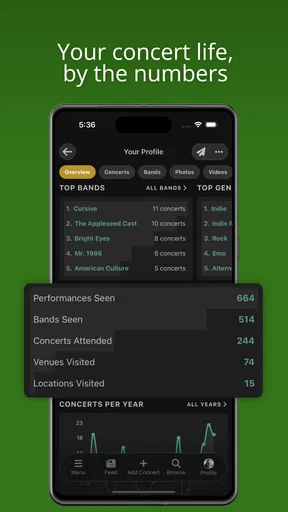
So, what’s the final word on Concert Archives? If you're passionate about live music, this app is a must-have. It’s not just an archive; it’s a community, a discovery tool, and a memory keeper all rolled into one. Whether you’re a casual concert-goer or a hardcore fan, it enhances your concert-going experience in ways you didn’t know you needed.
I’d put it most confidently in the hands of someone who wants their concert history to become more than a list of dates. The combination of searching past events, adding personal context, and seeing other people connected to the same shows gives the archive a distinct purpose. My reservation is that its usefulness depends on the effort I put into recording events and on whether I enjoy revisiting them. It won’t create meaningful memories for me; it gives me a place to keep the ones I choose to capture.
In a world where digital and physical experiences blend seamlessly, having an app that keeps track of your live music adventures is a game-changer. So go ahead, give it a download, and start building your own concert legacy. Trust me, you won't regret it!
Pros
- Easy to track past concerts.
- User-friendly interface.
- Connect with other music fans.
- Discover upcoming events.
- Share experiences with friends.
Cons
- Limited offline functionality.
- Occasional app crashes.
- Some features require premium.
- Ads can be intrusive.
- Lacks integration with all platforms.
FAQs for Concert Archives
What is Concert Archives and what does it do?
Concert Archives is an app designed for music enthusiasts to track and document their live music experiences. It allows users to log concerts they've attended, share memories with friends, and explore upcoming shows. Additionally, the app provides features to upload setlists, photos, and reviews, making it a comprehensive platform for concert-goers.
Is Concert Archives free to use, or are there any in-app purchases?
Concert Archives offers a free version with basic features, allowing users to log concerts and explore events. However, for those who want an enhanced experience, there are optional in-app purchases. These include premium features like advanced concert statistics, ad-free browsing, and exclusive content. Users can choose according to their needs and preferences.
How accurate is the event information provided on Concert Archives?
Concert Archives aggregates event data from various trusted sources and user contributions to ensure accuracy. While the platform strives to maintain up-to-date and precise information, users are encouraged to cross-check with official event pages or ticket vendors to confirm details like dates, venues, and lineups.
Can I connect with friends and share my concert experiences on Concert Archives?
Yes, Concert Archives allows you to connect with friends who also use the app. You can share your concert history, photos, and reviews, creating a social network of fellow music enthusiasts. This feature enhances the community aspect of the app, making it easier to discover new music experiences through your friends' activities.
Does Concert Archives support offline access for my concert data?
While Concert Archives primarily functions with an internet connection to sync data and updates, users can access their saved concert history offline. This ensures that you can still view your past events and details even when you're not connected, making it convenient for on-the-go access.


